简介
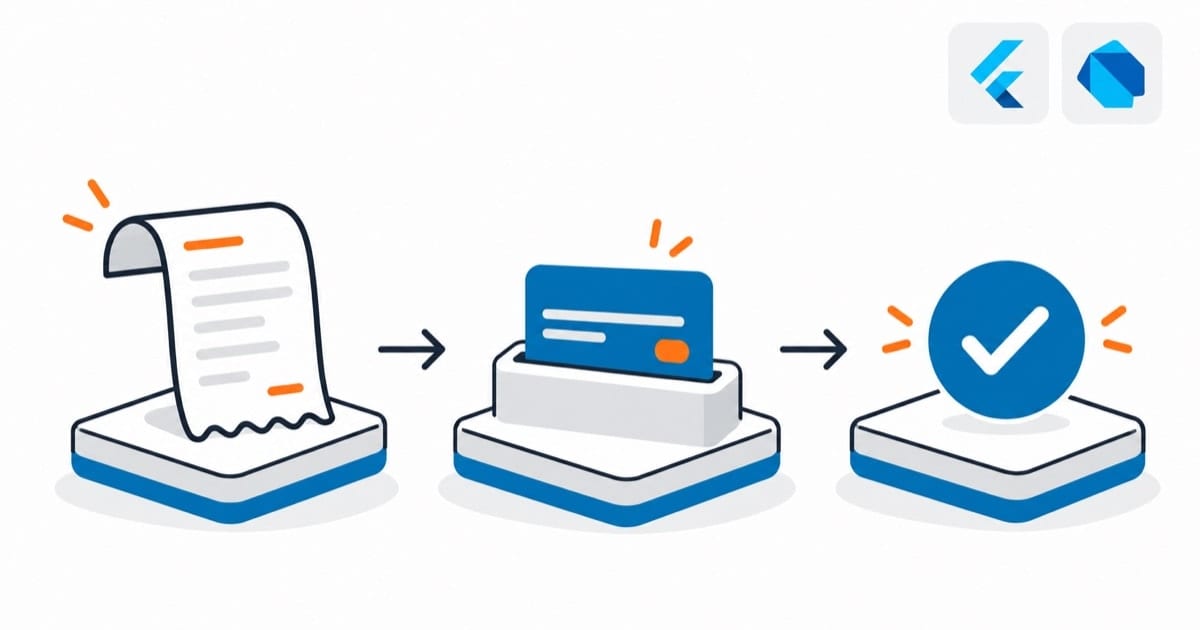
移动支付是现代应用不可或缺的功能,本文将详细介绍如何在Flutter应用中集成支付宝和微信支付功能,实现安全、便捷的支付体验。
支付宝集成
1. 准备工作
- 注册支付宝开放平台账号
- 创建应用并获取必要参数:
- APPID
- 商户私钥
- 支付宝公钥
2. 添加依赖
在pubspec.yaml文件中添加依赖:
dependencies:
  tobias: ^5.3.4  # 支付宝支付插件
3. 平台配置
Android配置
在android/app/build.gradle中添加:
android {
    defaultConfig {
        manifestPlaceholders = [
            ALIPAY_SCHEME: "alipay$APPID"
        ]
    }
}
iOS配置
在ios/Runner/Info.plist中添加:
<key>LSApplicationQueriesSchemes</key>
<array>
    <string>alipay</string>
</array>
<key>CFBundleURLTypes</key>
<array>
    <dict>
        <key>CFBundleURLSchemes</key>
        <array>
            <string>alipay$APPID</string>
        </array>
    </dict>
</array>
4. 实现支付
import 'package:tobias/tobias.dart';

class AlipayService {
  static Future<Map<String, dynamic>> pay(String orderInfo) async {
    try {
      // 调用支付接口(4.x 起没有顶层函数 aliPay,走 Tobias 实例)
      final tobias = Tobias();
      final result = await tobias.pay(orderInfo);

      // 解析支付结果(resultStatus 在新版是 int,统一转字符串再比)
      if (result['resultStatus'].toString() == '9000') {
        return {
          'success': true,
          'message': '支付成功',
          'data': result
        };
      } else {
        return {
          'success': false,
          'message': _getErrorMessage(result['resultStatus'].toString()),
          'data': result
        };
      }
    } catch (e) {
      return {
        'success': false,
        'message': '支付异常:$e',
        'data': null
      };
    }
  }

  static String _getErrorMessage(String code) {
    switch (code) {
      case '4000':
        return '订单支付失败';
      case '6001':
        return '用户中途取消';
      case '6002':
        return '网络连接出错';
      default:
        return '其他支付错误';
    }
  }
}
微信支付集成
1. 准备工作
- 注册微信支付商户平台账号
- 获取必要参数:
- AppID
- 商户号
- API密钥
2. 添加依赖
dependencies:
  fluwx: ^6.0.6
3. 初始化配置
import 'package:fluwx/fluwx.dart';

class WeChatPayConfig {
  // fluwx 4.x 起所有调用都走 Fluwx 实例,顶层函数 registerWxApi 已移除
  static final fluwx = Fluwx();

  static Future<void> initWxApi() async {
    await fluwx.registerApi(
      appId: "your_app_id",
      universalLink: "your_universal_link",  // iOS Universal Links
    );
  }
}
4. 实现支付
class WeChatPayService {
  static final _fluwx = Fluwx();

  static Future<Map<String, dynamic>> pay({
    required String partnerId,
    required String prepayId,
    required String packageValue,
    required String nonceStr,
    required int timeStamp, // 4.x 起 timestamp 是 int,不再是 String
    required String sign,
  }) async {
    try {
      // 4.x 起 pay 返回 bool:只表示"是否成功调起微信",
      // 真正的支付结果走下面的回调,且最终以服务端异步通知为准
      final launched = await _fluwx.pay(
        which: Payment(
          appId: "your_app_id",
          partnerId: partnerId,
          prepayId: prepayId,
          packageValue: packageValue,
          nonceStr: nonceStr,
          timestamp: timeStamp,
          sign: sign,
        ),
      );

      return {
        'success': launched,
        'message': launched ? '已调起微信支付' : '调起微信支付失败',
        'data': null
      };
    } catch (e) {
      return {
        'success': false,
        'message': '支付异常:$e',
        'data': null
      };
    }
  }

  // 处理支付回调
  static void handlePaymentCallback() {
    _fluwx.addSubscriber((res) {
      if (res is WeChatPaymentResponse) {
        if (res.isSuccessful) {
          print("支付成功");
        } else {
          print("支付失败:errCode=${res.errCode},${res.errStr}");
        }
      }
    });
  }
}
统一支付服务
1. 支付方式枚举
enum PaymentMethod {
  alipay,
  wechat,
}
2. 统一支付接口
class PaymentService {
  static Future<Map<String, dynamic>> pay({
    required PaymentMethod method,
    required String orderId,
    required double amount,
  }) async {
    switch (method) {
      case PaymentMethod.alipay:
        // 构建支付宝订单信息
        final orderInfo = await _generateAlipayOrder(orderId, amount);
        return await AlipayService.pay(orderInfo);

      case PaymentMethod.wechat:
        // 构建微信支付参数
        final params = await _generateWeChatPayParams(orderId, amount);
        return await WeChatPayService.pay(
          partnerId: params['partnerId']!,
          prepayId: params['prepayId']!,
          packageValue: params['package']!,
          nonceStr: params['nonceStr']!,
          // 服务端返回的 timeStamp 是字符串,转成新版要求的 int
          timeStamp: int.parse(params['timeStamp'] ?? '0'),
          sign: params['sign']!,
        );
    }
  }

  // 生成支付宝订单信息
  static Future<String> _generateAlipayOrder(
    String orderId,
    double amount,
  ) async {
    // 调用服务端接口生成订单信息
    // 返回加签后的订单字符串
    return '';
  }

  // 生成微信支付参数
  static Future<Map<String, String>> _generateWeChatPayParams(
    String orderId,
    double amount,
  ) async {
    // 调用服务端接口获取支付参数
    return {};
  }
}
3. 使用示例
class PaymentPage extends StatelessWidget {
  final String orderId;
  final double amount;

  const PaymentPage({
    Key? key,
    required this.orderId,
    required this.amount,
  }) : super(key: key);

  Future<void> _handlePayment(PaymentMethod method) async {
    try {
      final result = await PaymentService.pay(
        method: method,
        orderId: orderId,
        amount: amount,
      );

      if (result['success']) {
        print('支付成功');
        // 处理支付成功逻辑
      } else {
        print('支付失败:${result['message']}');
        // 处理支付失败逻辑
      }
    } catch (e) {
      print('支付异常:$e');
    }
  }

  @override
  Widget build(BuildContext context) {
    return Scaffold(
      appBar: AppBar(title: Text('支付')),
      body: Center(
        child: Column(
          mainAxisAlignment: MainAxisAlignment.center,
          children: [
            Text('订单金额:¥$amount'),
            SizedBox(height: 20),
            ElevatedButton(
              onPressed: () => _handlePayment(PaymentMethod.alipay),
              child: Text('支付宝支付'),
            ),
            ElevatedButton(
              onPressed: () => _handlePayment(PaymentMethod.wechat),
              child: Text('微信支付'),
            ),
          ],
        ),
      ),
    );
  }
}
安全考虑
1. 签名验证
class PaymentSecurity {
  static String generateSign(Map<String, dynamic> params, String key) {
    // 按参数名ASCII码从小到大排序
    final sortedParams = Map.fromEntries(
      params.entries.toList()..sort((a, b) => a.key.compareTo(b.key))
    );

    // 拼接字符串
    final stringA = sortedParams.entries
        .map((e) => '${e.key}=${e.value}')
        .join('&');

    // 拼接商户密钥
    final stringSignTemp = '$stringA&key=$key';

    // MD5加密
    return md5.convert(utf8.encode(stringSignTemp)).toString().toUpperCase();
  }

  static bool verifySign(Map<String, dynamic> params, String sign, String key) {
    final generatedSign = generateSign(params, key);
    return generatedSign == sign;
  }
}
2. 敏感信息加密
class PaymentEncryption {
  static String encryptRSA(String content, String publicKey) {
    // RSA加密实现
    return '';
  }

  static String decryptRSA(String content, String privateKey) {
    // RSA解密实现
    return '';
  }
}
注意事项
- 铁律:客户端只做”调起”,订单状态以服务端异步通知为准——客户端回调可伪造,只信客户端回调会被刷单(实战案例原话:钱的事,服务端说了算)
- 密钥放服务端:AppSecret/商户密钥永不进 App 包,签名、验签全在服务端做,客户端只拿预支付单号去调起——密钥进包等于公开
- 支付超时别按”失败”处理:调起支付后用户没操作,客户端是”取消/未知”状态;用服务端查单接口轮询确认,用户可能已经付了钱
- 沙箱全链路测一遍再上线:支付成功、支付取消、金额不一致、重复通知(微信/支付宝会重试通知,服务端要做幂等)——每种走一遍
实战案例
支付 SDK(微信支付/支付宝)我还没在项目里接过——我的 App 都是展示和工具类,没走到收钱那一步。但支付我了解过,核心就一句话:客户端只做”调起”,验签和订单状态必须走服务端。fluwx 调起微信支付、支付宝官方 SDK 调起收银台,都是 App 侧的事;但”到底付没付钱”只能信服务端的异步通知,客户端的回调不可信(可伪造)。我见过有人图省事只判断客户端回调,被刷单刷到怀疑人生。所以支付的文章看再多,不如记住这条铁律:钱的事,服务端说了算。参考:微信支付/支付宝开放平台文档。
总结
支付客户端只做调起:tobias 调支付宝、fluwx 调微信支付,预支付参数从服务端拿。到底”付没付钱”只信服务端的异步通知,客户端回调可伪造——这条铁律比任何代码都重要。签名验签放服务端,密钥别进客户端;金额以服务端重算为准,客户端的总价只是展示。